Skip to content

Ten minutes a day.Then they ask for one more.

A clay diorama: Bop the blue whale blows bubbles from a rippling puddle while Kenny the green frog reads a book on a lily pad, next to stacked number blocks 2 and 3.

Every lesson starts with a lump of clay to squish, stack or sort. No ads, nothing to buy inside the app, and a progress email for you every Sunday night.

Squish. Stack. Sort.

Every lesson starts with a lump of clay to poke. Kids drag, stack and squash it on screen, and the idea lives inside the toy, not in a block of text.

Three subjects, one toy box

Math, science and art, each built from the same clay. 316 lessons, none longer than ten minutes.

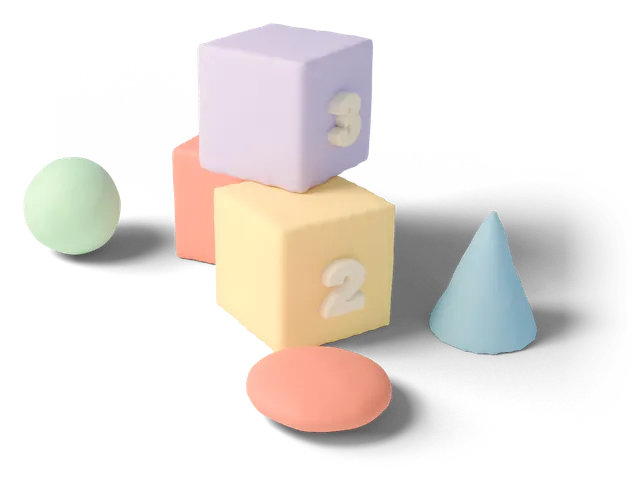
Clay number blocks 2 and 3 stacked on a coral block, with a mint ball, a blue cone and a coral disc around them

Math148 lessons

Stack number blocks, share a cake, count fish into a tank.

Follows the K to 5 math sequence: number sense, operations, shapes, measuring, reading simple charts.

Sample lesson: blocks 1, 2 and 3 sit in a pile. Rebuild them so every column adds up to 4.
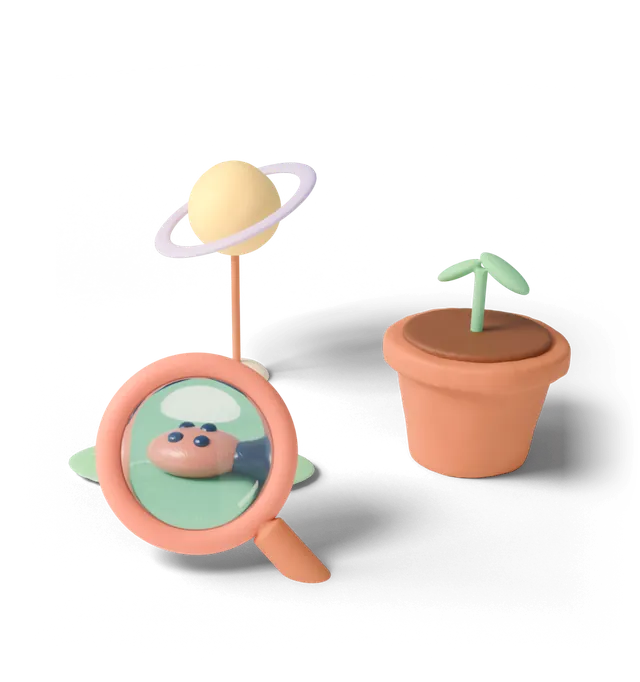
A clay flowerpot with a two-leaf sprout, a yellow Saturn with a lilac ring on a stick, and a coral magnifying glass

Science96 lessons

Look through a magnifier, grow a bean, orbit Saturn.

Notice, ask, guess, then check. Every lesson ends with a small experiment to try at home.

Sample lesson: water one bean every day and take a photo. On day 5, compare it with the bean you skipped.

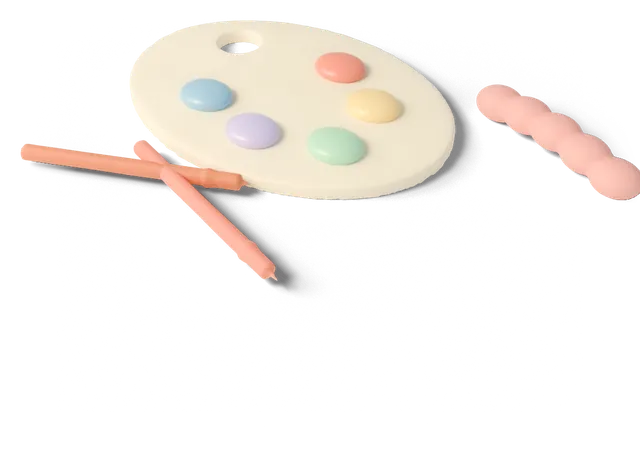
A cream clay palette with five pastel paint dabs, two brushes and a half-finished pink clay worm

Art72 lessons

Mix colours, model animals, draw a map of your street.

Colour, form and layout. Kids photograph real paper-and-crayon work to keep in a sketchbook.

Sample lesson: what do yellow and blue make? Guess first, then mix them on the palette.

How tall is your kid's learning plant?

Pick a pot. You'll see the first week most kids that age get, day by day. After that the path adjusts to every lesson they finish.

Sprouts’s first week

Kids can go solo. Short sentences on screen, with a replay button for words they can't read yet.

5 lessons, 46 minutes in total. Matches grades 1 to 3.

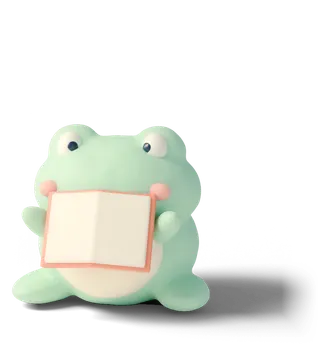
Stuck on a word? Tap it and I'll say it again.

Kenny the frog holding an open book
  1. Mon

    10 min

    Add and subtract across 10 with sticks

    Math: Splitting and joining numbers

  2. Tue

    10 min

    Where does a puddle go on a sunny day?

    Science: Predict, then check

  3. Wed

    9 min

    Draw your way to school

    Art: Thinking in maps

  4. Thu

    8 min

    Clock hands: o'clock and half past

    Math: Telling time

  5. Fri

    9 min

    What does a magnet pick up?

    Science: Sorting materials

After 12 weeks:

  • Adds and subtracts to 100
  • Tells time
  • Logs an experiment
  • Draws from life

The part for grown-ups

Kids see toys. You get this email every Sunday at 7 pm, and four promises we keep in writing.

Sample email, sent Sunday 7 pm

Maya's week, age 7

Oct 28 – Nov 3

Minutes
41
Lessons
4/5
Days
5

Still wobbly: Maya mixes up 6 and 9 when the card is turned upside down.

Try together: lay out 6 sticks as a 6, turn the paper around, and ask which number it is now.

A Sunday-night report

Minutes learned, lessons finished, one skill still wobbly, and a five-minute game to play together.

Screen-time limits

Set 10 to 60 minutes a day and a bedtime window. When time is up, the app stops at the end of a lesson, never halfway.

No ads, no in-app purchases

No banners, no paid items, no links out of the app. Settings sit behind your PIN.

Your child's data

We store a first name and an age. No camera, and the mic stays off until you allow it. Deletion requests are done within 7 days.

Family pricing

What it costs, in one breath

One child is $69 a year. Up to three kids, each on their own path, is $99 a year.

That is about $5.75 or $8.25 a month. One child saves $26.88 against paying monthly. Both get all 316 lessons, offline downloads and the Sunday email, one per child.

14 days free, no card needed. Cancel a yearly plan in the first 30 days and we refund the unused months. One child plays on 2 devices, a family on 5.

Questions parents ask Kenny

  1. Parent: My child can't read yet. Will it work?

    Kenny: Yes! Seedlings (ages 3 to 5) reads every instruction aloud, and kids only need to tap and drag. Sit with them for the first two weeks if you can.

  2. Parent: How do the time limits work?

    Kenny: Set minutes per day and a bedtime window under Parents. When time runs out, your child finishes the current lesson and then sees a see-you-tomorrow screen. Extra time needs your PIN.

  3. Parent: What data does Puddle keep?

    Kenny: A first name, an age and the result of each lesson. No photos, voice recordings or location. We never sell or share data. Ask us to delete it and the whole profile is gone within 7 days.

  4. Parent: Which devices does it run on?

    Kenny: iPad, Android tablets on Android 9 or later, and any modern desktop browser. Lessons download ahead of time, so long car rides without signal are fine.

  5. Parent: Who writes the lessons?

    Kenny: A team of 11 former preschool and elementary teachers. Each lesson is tested with real kids, usually 20 of them, before it ships.

  6. Parent: How do I cancel?

    Kenny: Open Parents, then Plan, then Turn off renewal. Cancel before the renewal date and you won't be charged again. Yearly plans get the unused months back if you cancel in the first 30 days.

Still stuck? Write to us and a person, not Kenny, replies within one working day. [email protected]

14 days free. No card.

Leave a parent's email and your child's age. We'll send the download link and their first week of lessons.

Bop the whale pointing at the sign-up form

Used only for the download link, the weekly report and plan notices.